Version management
Kentucky stores all versions of an IE in a history tree. It is possible to fetch and publish an older version.
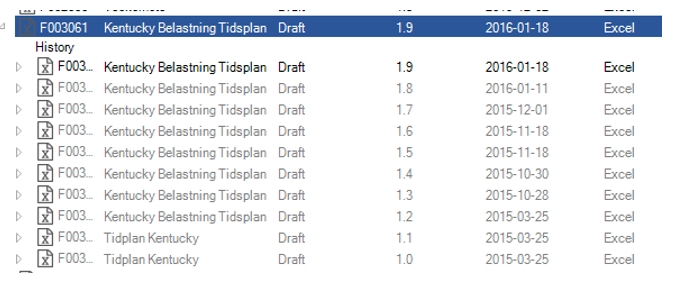
If the IE is an xml document, Kentucky can compare two versions and display the differences.
Each version has its own status, configurations, valid from date, metadata etc.
Major minor version
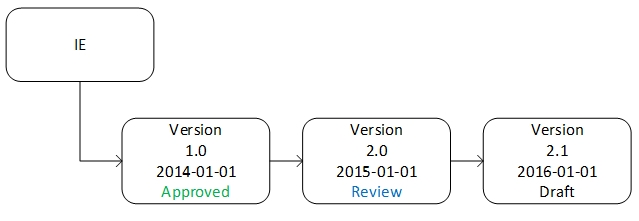
Kentucky splits versioning into two levels.
Major version is the number to the left of the decimal 1.0, 2.0, 3.0 etc
Minor version is the number to the right of the decimal 1.1, 1.2, 1.3 etc.
In Kentucky, major version is called “version” and minor version is called “revision”.
Minor version (revision) is incremented when status is Draft or Review. Major version is incremented when status is Approved or Translated.
Version display formats
Kentucky can display the version in two different formats.
The “Alpha”, format converts the major version to a character, starting at uppercase A. The minor version starts at 1. The letter “P” (Preliminary) indicates that the IE is not approved. When an IE is approved, the minor version is not displayed.
Major version is from A to Z. When Z is passed, a second character is added => AA. Max version is ZZ. The characters I, O, P, Q and R are not used.
| Status | Standard format | Alpha format |
|---|---|---|
| Draft | 1.0 | PA1 |
| Review | 1.1 | PA2 |
| Approved | 1.2 | A |
| Draft | 2.0 | PB1 |
| Approved | 2.1 | B |
| MAX | 99.99 | ZZ.99 |
When a new major version is created, the minor version is always reset to 0 (1 in Alpha format).
1.7 => 2.0 (PA8 => PB1).

|
note
Kentucky always store versions as standard format in the database. The Alpha format is just a display format. |